10k LinkedIn views in no time. Growth hackers will hate this.
Part 2 of 3: how to turn a blog post into a LinkedIn post with Claude Code, and the check I still do by hand.
The numbers
By far my best-performing post was the final post after my series that I did over the summer. That got roughly 10k impressions, and lots of people have been engaging in the comment section. I checked on LinkedIn, so it was in about two days that I got to the 10k. Runner-up to that was a pretty recent post where I posted about a workshop that I was running. That’s coming in at about 7k.
An impression is one time LinkedIn showed your post to someone. The exact figures were 10,175 impressions and 37 engagements for the first post, then 7,246 impressions and 35 engagements for the second.
This is Part 2 of the manual. You’ll need the skill from Part 1.
Why growth hackers will hate this
They will hate this because I’m basically shining a light on their secret. The secret is essentially how easy it is to create content these days in order to grow. I’m going a step further by providing my actual steps.
Hooks still take a few rounds
A hook is the first line of your post, the one that stops someone scrolling. In terms of hooks, I think that also got a lot better. However, the choice of the hook is still pretty manual. Sometimes I input a hook that I think would go along well with the post, and then, with Claude’s assistance, I’ll improve it.
I’m usually still not that happy. However, now it only takes about 2 to 3 turns in order for me to get happy with the hook or title, and before, it was more like 10 and 12 turns.
The five building blocks
Every LinkedIn post I write is built from the same five blocks.
- The hook. The first line, the one that stops the scroll.
- The body. The story, one idea per line.
- The next post in the series. Sometimes we also add a line where we say what’s going to be in the next post in the series.
- The call to action. One short question, so maybe we get a comment that actually shares their insights. Keep it under seven words.
- The link line. We usually say, “Full post in the first comment,” and put the blog link there.
The question goes after the series line, so it’s the last thing people read before the comment box.
Here’s my LinkedIn post before the final post in my last series, the Polymarket one, with each block labelled.

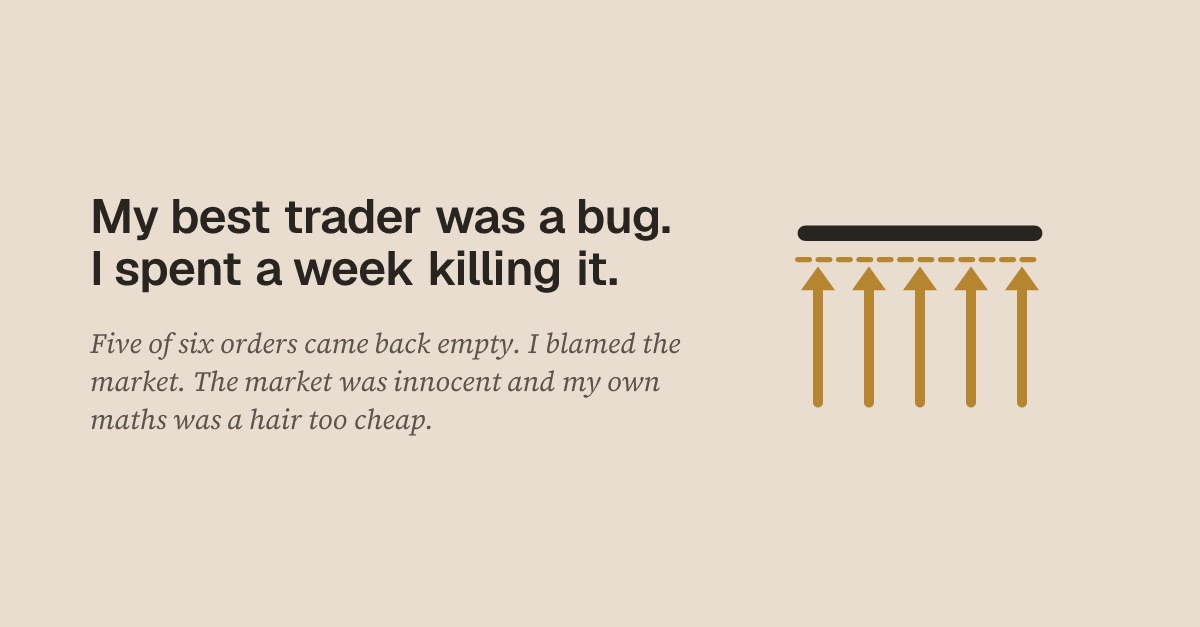
My best trader was a bug. I spent a week killing it.
31 August is five days out. Next time you get the number, not the excuses.
Five of every six orders came back from the exchange with the same answer: no orders found to match.
I blamed the market for being too fast. It was innocent. In 99% of the misses the order I aimed at was still sitting there, and other traders took that exact level in 97% of them.
The bug was mine. One-cent tick, my share maths rounded up, and my order went out at 66.99988 instead of 67. The retry logic re-sent the same dead price, so I was not unlucky. I was failing on schedule.
Which might mean the bug saved me money. A trade you miss is a loss you never take. I do not know which side of that I would have landed on.
Next: five weeks, and the one number I have been avoiding since July.
What are you blaming instead of yourself?
Full post in the first comment.
Add LinkedIn to your skill in four steps
This is how I would start off if I was redoing the entire thing again today.
1. Open your folder. Open the terminal, then run these two lines, one at a time.
cd my-posts
claude
2. Paste this prompt. Say yes when Claude asks to change the skill.
Update my post-writer skill. Add a step that turns post.md into linkedin.md.

Rules for linkedin.md:

1. Write 110 to 170 words.
2. Offer me five hooks and let me pick one. Each hook must be under 15 words and make sense to a stranger.
3. Put one idea on each line, with blank lines between ideas.
4. Use my words from answers.md wherever you can.
5. Do not use hashtags, links or bold text.
6. If the post is part of a series, add one line about what's in the next part.
7. End with one short question about this post, under seven words, then the line "Full post in the first comment."
3. Run it on your post. Type this, then pick your hook.
Use my post-writer skill to turn post.md into a LinkedIn post.4. Pick an image. For LinkedIn, whenever I have a real photo, I use a real photo so that a thumbnail is just a fallback option. If I don’t have a real-life image, I usually generate a sort of thumbnail image.
The check I won’t automate
The part that is still manual is the final posting on the socials. That stuff is still manual copy-pasting back and forth. I’d say manual posting takes about half an hour at most. Maybe at a later stage I might also automate that, but for now, I think the manual step is a bit of a nuisance, but it’s not annoying enough to fully automate it.
What I usually check, especially on LinkedIn, is whether the mentions work as I intended and also whether the images are in the preview window. However, what also happened a couple of times is that, in the preview, everything seemed fine. After clicking on Publish, it somehow lost the image to the post, so the post appeared without any images.
I guess if the agentic workflows get better and more reliable, I might also try that out, but I still don’t trust them because I have really high quality standards for my posts. So that’s why I kind of like the manual step in the end, because then I copy-paste it, and then I still read it before I click on post. In an automated fashion, that manual review step would basically be cut down into a final review on my editor instead of the actual posting page.
Before you post:
- Paste
linkedin.mdinto LinkedIn. - Attach your image.
- Check your mentions and the image preview.
- Read it once more, then click Post.
- Open the live post and check the image is still there.
- Add your blog link as the first comment.
The Takeaways
- Choose the hook yourself. Claude improves it, but the choice is still pretty manual.
- Use a real photo when you have one. A thumbnail is the fallback.
- Read it on the posting page. That’s where you catch what the draft can’t show you.
Next, Part 3 turns your post into a Twitter thread, with a meme.
Get the next episode first
Every week: the progress unfiltered, plus what I can't post publicly. The build, the number, green or red.